A manual dispatch is not a dispatch at all: it registers routes that were driven earlier, so the work is on record and invoiced. The app's own warning: Should always be used with caution and is only enabled for authorized users. It needs its own permission, so most staff never see the entry.
Steps
-
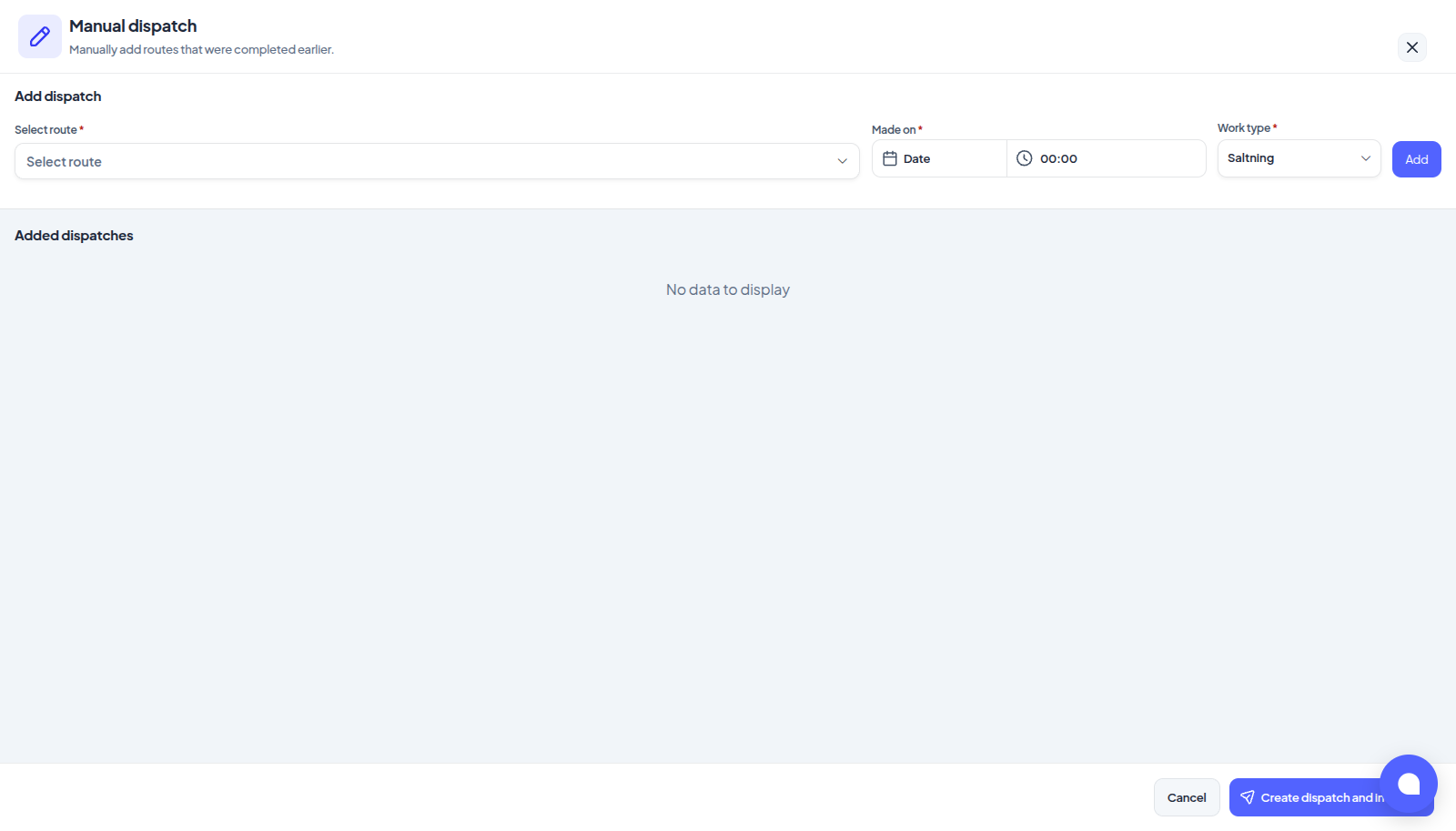
Press Create dispatch and choose Manual dispatch. The form opens with Add dispatch at the top and Added dispatches below.
-
In Add dispatch, pick one or more routes under Select route, the Made on date and time, and the Work type, then press Add. The line appears in Added dispatches. The composer keeps its values, so for a whole season you change the date and press Add again. A Snow depth field sits beside them for businesses that record one (imperial units, or a work type priced by snow depth); the line's depth is frozen the moment it lands, because its stops close at once, and a depth-tiered address bills the tier it falls in, see Pricing by snow depth.
-
Add as many lines as you need. Each line can still be edited in the table, or deleted.
-
Press Create dispatch and invoices. Confirm manual dispatch lists every line; press Confirm and dispatch.
The moment must be in the past: Manual dispatch requires a past date. It is judged on your business's clock, not the computer's: the calendar stops at your business's today, and Now beside the time fills in the current minute. A time up to five minutes ahead still counts as now, so a clock that runs slightly fast does not refuse it. Closing the form with lines in it asks Are you sure? with Discard all or Keep.
The Hourly tag
A route in the picker can carry an Hourly tag: at least one address on it is priced by the hour for the chosen work type. A registration is one moment, so such an address is checked in and out at the same instant and bills zero hours; its invoice line carries the note Hourly duration is missing or invalid for this location.
What happens
For every line one registration is created, closed and billed, in that order:
- The addresses of the chosen routes become stops, each stamped with its customer as of now. The service rules run first, so an address excluded that day is removed and never billed, see Why an address was left out.
- The stops left standing are marked completed, with both check-in and check-out at the Made on time, in your name.
- Invoices are generated at once, as after a normal completion. In the list the row reads Manually registered in place of worked time, and the Manual dispatches only filter finds them.
A line that could not be closed is left open and is not billed; complete it by hand like any other dispatch.
Nobody is told
No invitation, bell or push goes to subcontractors or drivers, and customers hear nothing: the work is weeks old, and announcing it would announce a job nobody can still go and do. A manual registration is also never merged with a running dispatch, see Why your dispatch was merged into another.