Pressing Create dispatch asks you what you are dispatching. Every type ends in the same thing (stops for drivers, with a planned time and a work type), but the shape you choose decides who gets involved and how the stops are picked.
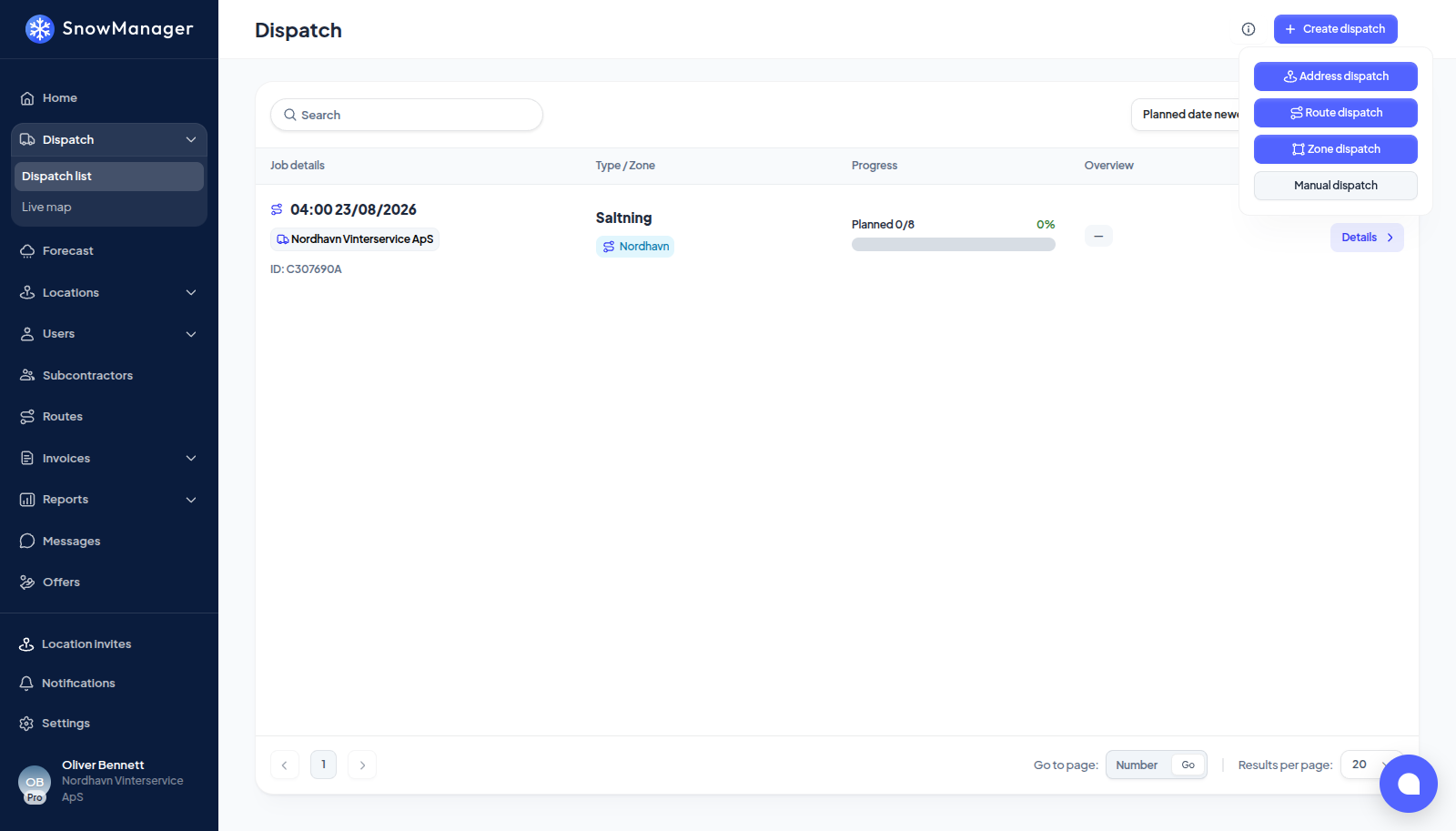
Address dispatch
You tick individual addresses. Use it for the odd job: one customer called, a handful of addresses need a second pass, a complaint needs a visit. The addresses go to whoever is responsible for them: your own drivers if the address is yours, the subcontractor if it is assigned out. Drivers are picked per address. It is also the only type that asks who is invoiced, the customer, the subcontractor, both or neither; see Who is invoiced for an address dispatch.
Route dispatch
You tick whole routes. Every address on the route is included in its order, and the route's drivers come with it. This is the everyday dispatch for a business that runs its own routes, and it is what a subcontractor uses for the addresses it has been handed. A route may mix addresses you own with addresses you are subcontracted on; each is billed to the right party.
An address on one of your own routes that you have handed to a subcontractor is their work: it goes out as theirs, already accepted, so your own crews can still complete it, and the subcontractor is paid for it. The same holds when you register it as a manual dispatch.
Zone dispatch
You tick zones drawn on the map. Everything inside goes out at once: every subcontractor with addresses in the zone is invited, and the routes they hold that touch the zone are dispatched for the addresses inside it. This is the large-operation dispatch (a city with a hundred addresses split across ten contractors), and it is the one where invitations, acceptance and merging matter most. See What happens when you dispatch a zone.
Auto dispatch
The system picks for you from the rules and assignments you have set up, and you confirm the result. Use it when the same selection goes out every time and you would rather check a list than build one.
Manual dispatch
Not a dispatch at all in the usual sense: it registers work that was already done (a past date and time, one or more routes, a work type) so that the stops are closed and the invoices follow, without any driver being told anything. Use it for the night the app was not used, or for a subcontractor reporting after the fact. It needs its own permission and refuses a future date.
Two things every type shares
- Work type and planned time are set on the dispatch, not per address. A second work type on the same addresses is a second dispatch.
- Merging. If you already have an unfinished dispatch of the same work type within eight hours of the planned time, you are asked whether to collect the new selection into it or keep it separate. Address dispatches and route/zone dispatches never merge with each other, and manual registrations never absorb anything.