You own the address; somebody else clears it. Handing it over is done on the address itself, and it decides three things at once: who is dispatched to it, who may dispatch it, and what they are paid.
Assign or invite
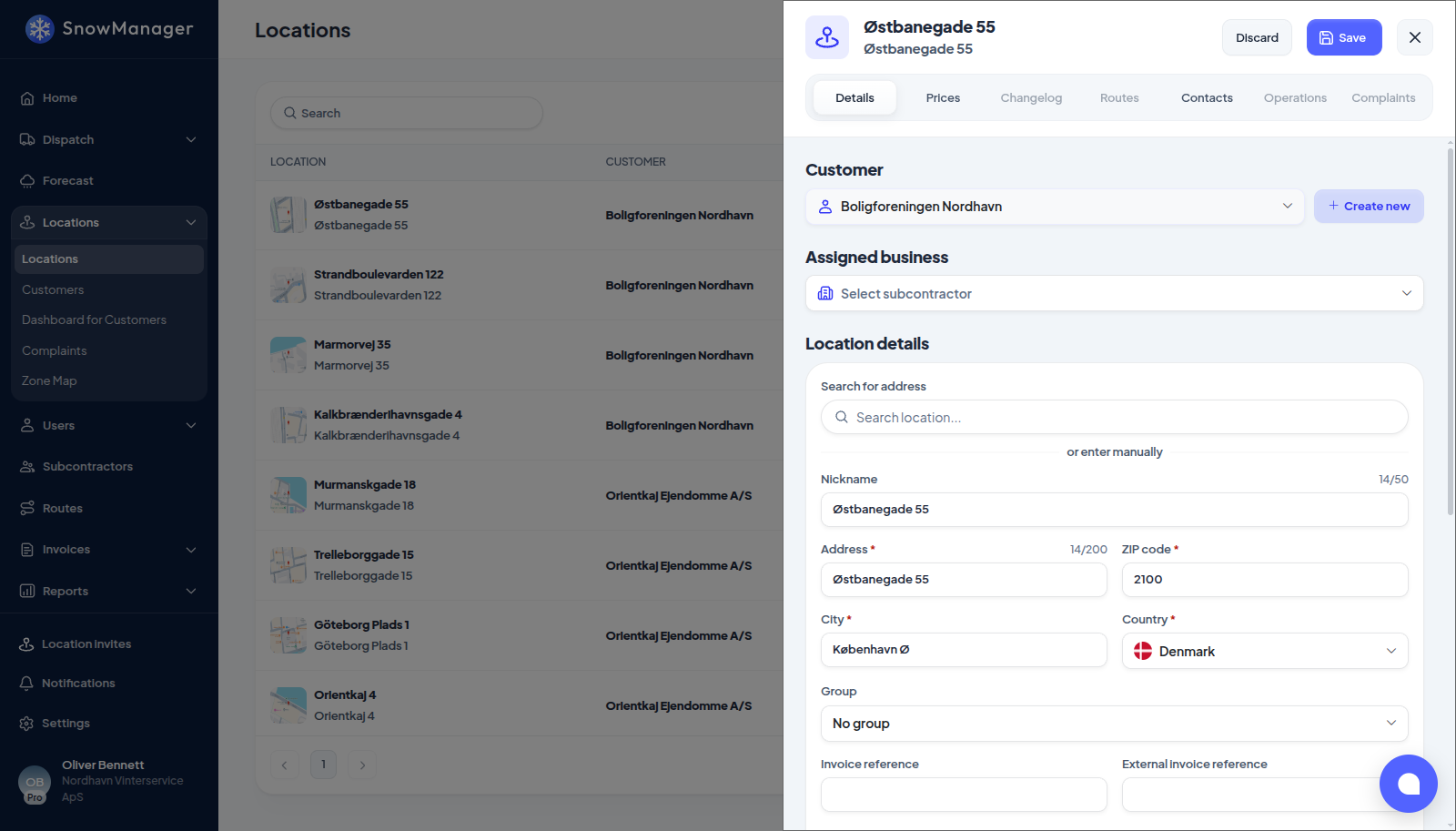
- Open the address from Locations. In the Subcontractor section, pick the business under Assigned business. The list holds the subcontractors you have added under Subcontractors, including companies you invited that have not accepted yet: an address given to one of those is theirs to see as soon as they sign in, and meanwhile it already counts as that company's, so dispatches name it rather than showing the stop as having no business.
- The question Do you have an agreement? decides the next step. You can either send them
an invite or assign them directly if you have already made an agreement.
- Assign now: the address is theirs from the moment you save. Use it when it is all agreed and you just need the system to know.
- Invite: they get an invitation and the address waits for their answer. Use it when they should confirm they will take it.
- Press Save. The actual assignment or invite will be sent after the changes are saved, so nothing happens until then.
The subcontractor's administrators get a bell notification and an email. They answer it under Location invites at the bottom of their sidebar, which carries a count of the invitations waiting for them; the link in the email opens the same list. Opening an invitation shows the address, the drawings and what they will be paid, with Accept and Decline under it.
Once they Accept, the address appears in their Locations as theirs, they can put it on their routes, and their drivers are the ones sent when you dispatch it. If they Decline, you are notified and the address goes back to unassigned.
To hand over many addresses at once, open the subcontractor under Subcontractors and use Add locations on its Locations tab. If an address is already with another subcontractor you are warned that it will be reassigned.
What moves with the address
- Price. Your Cost for each work type becomes the subcontractor's Price for the address; their own cost starts at zero. The pricing type travels with it. From then on the two of you keep separate price rows: changing your cost updates their price, but their edits are theirs. On a season address the subcontractor sees what they are actually paid, as you set it up: a season amount, an amount per visit, and what they get per visit past a visit limit. Visits past a limit are paid to them too, not only billed to the customer.
- Routes. The address leaves any route of a previous subcontractor; the new one adds it to its own routes. On their side the address has a Routes tab listing their own routes, and routes handed to them, that include it.
- Not the customer, contacts, rules or groups. Those stay with you; the subcontractor can see the rules but not change them.
Withdraw, reassign, take back
- Cancel invitation: available while the invite is unanswered. An invitation does not expire on its own, so this is how one ends. The address returns to unassigned and the invitee is told the invitation was withdrawn.
- Reassign: choose a different business. The displaced subcontractor loses its prices for the address and everything it had handed on below it is severed; the new one starts fresh.
- Unassign: take the address back.
When a business drops out of the address this way (unassigned, replaced, or its invitation withdrawn), it is also taken off the stops it has not done yet on dispatches that are still planned or in progress. Those stops fall back to you and show no business until a dispatcher decides who does them; the new subcontractor is not put on them by itself. Stops already completed or cancelled keep their record, so work that was done is still invoiced. Each dispatch affected gets a changelog line, Subcontractor removed from unfinished stops because the address was reassigned, with the business and the number of addresses.
The subcontractor may hand the address on to a subcontractor of its own, to any depth; each level repeats the same cost-becomes-price step.
In the changelog
Every change of assigned business is written to the address's Changelog with the business named: assigned the location to Nord Snow when there was nobody before, took the location back from Cold Sub when it was taken off, and changed Assigned business from Cold Sub to Nord Snow on a swap. Withdrawing an invitation writes the take-back line too. Older entries, written before the names were recorded, just say the assigned business changed.
Dispatching rights
Assigning an address lets the subcontractor dispatch it themselves unless you switch May dispatch my addresses off for that subcontractor (under Subcontractors → Permissions). Off, they still service it when you dispatch; they just cannot send their own drivers to it on their own initiative. The switch follows the address if it is handed on.