A contractor clears addresses for customers and invoices them. A municipality clears its own roads and has nobody to invoice. The Municipality switch tells SnowManager which one your business is, and the parts of the product that exist to bill a customer step aside.
Where the switch is
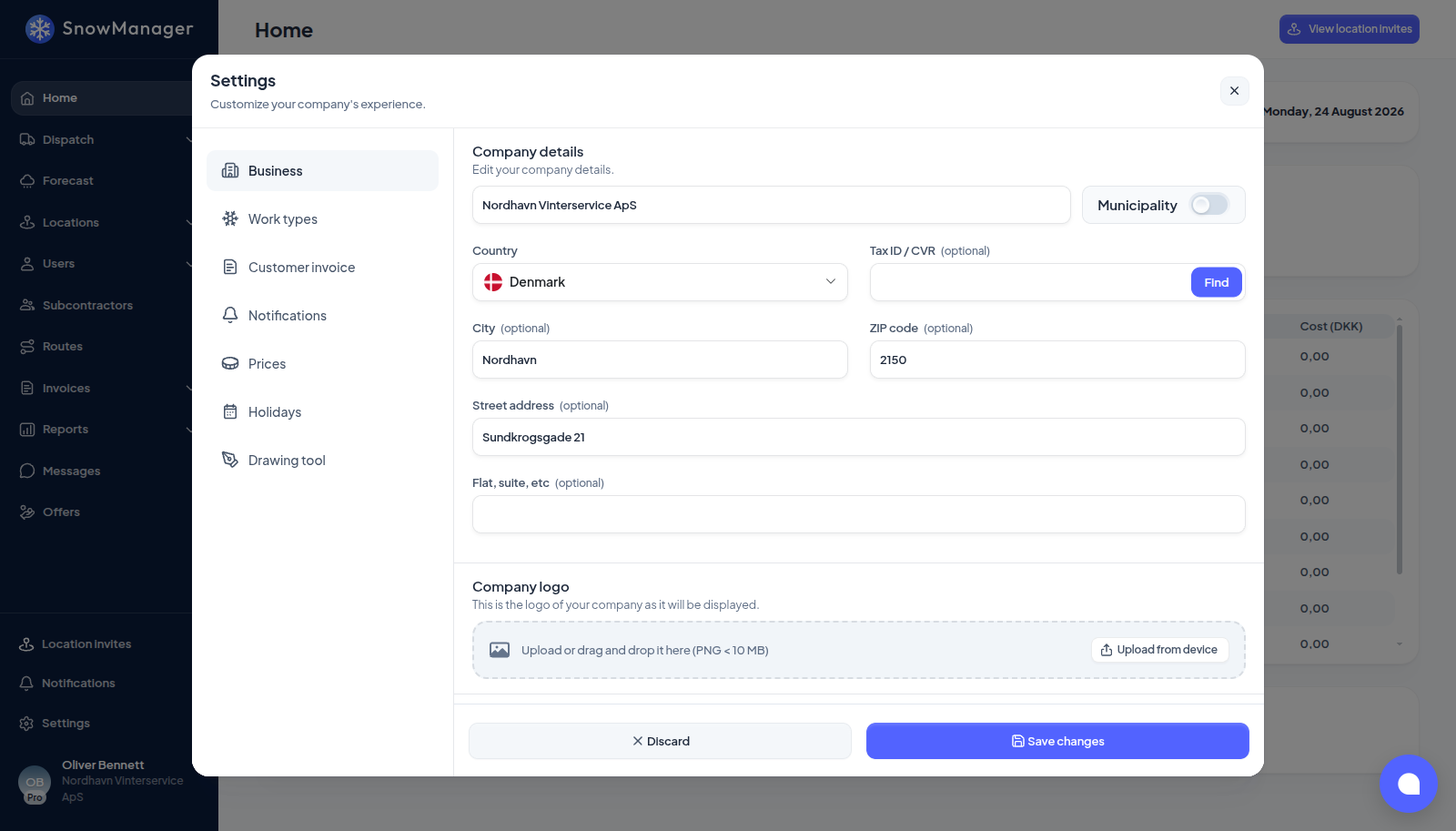
Settings → Business, beside the company name. The switch itself says it: "The business is a municipality that clears its own addresses. Hides the parts of the system that exist to bill a customer." Once it is on, Which municipality appears under it when your country has a list; pick yours, because the road route builder draws that municipality's border and fetches its roads from it.
What disappears
- From the sidebar: Customers, Complaints and Dashboard for Customers under Locations; the whole Invoices group; Reports; Offers. Typing one of those addresses into the browser sends you back to the dashboard.
- From Settings: the Prices tab, the customer invoice tab with its accounting integrations, and Extra fees under Work types. On the Business tab the Driver license, Auto assign new locations to yourself and Road routes switches go too: a municipality's routes are road routes by definition.
- From addresses: there is no customer to pick when you add one, no Price regulation, no customer and no prices column in the list, and no price panel on the address. Every address belongs to the municipality itself.
What changes
- Routes. New route asks for a Route type and starts on Road route once Which municipality is picked; Stop route stays available for a route made of addresses. In the road builder you paint the roads to clear inside the municipality border instead of ordering stops; see Road routes.
- Invoicing. Your own addresses never produce an invoice line, neither a customer line nor a cost line toward a subcontractor: subcontractors are on full-year tenders settled outside the system. If a dispatch also carries another business's addresses (a merged dispatch), those are billed as before. See When an invoice line is created.
- Dashboard. The cost and revenue tiles give way to Active dispatches and Dispatches this season, and the money breakdowns to Drives by work type, Performed by (your own drivers against subcontractors) and the road distance covered where roads are mapped to routes. Season cards show drives rather than revenue.
- Subcontractors. A subcontractor's page keeps its drive counts and loses cost, revenue and the revenue chart.
Dispatching, the live map, the forecast, drivers, shifts, messages and zones are unchanged.
Switching back
Turn the switch off and everything returns. The addresses you created as a municipality stay attached to the hidden owner created for it, so they are still yours; switching on again does not create a second one.