When a completed stop sits on an address you handed to a subcontractor, two lines are drafted: the customer line on your invoice, and a settlement line on a draft toward the subcontractor, at your Cost for that address and work type. A chain of subcontractors gets one settlement per link, each at the paying business's cost; see which price ends up on the line. An address dispatch can say otherwise: one marked Customer only drafts no settlement line at all, and one marked Subcontractor only drafts the settlement without the customer line, see Who is invoiced for an address dispatch.
Invoice for Subcontractor
Invoices → Invoice for Subcontractor lists the settlements you hold, one draft per subcontractor, collecting the period's work.
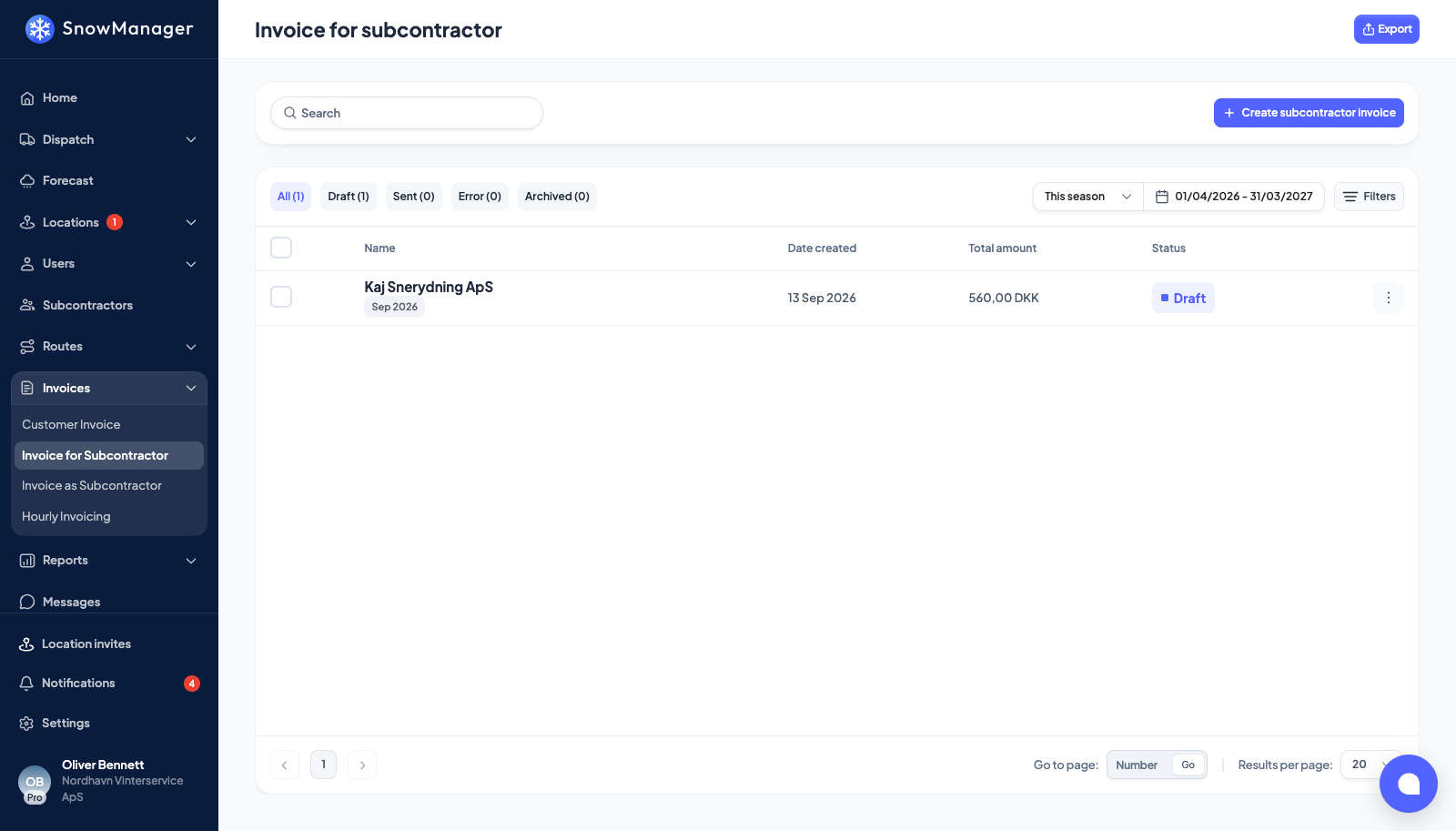
The pills split them by Draft, Sent, Error and Archived; the search, the date range and Filters narrow the list. A row shows the subcontractor, its period tag and Possible duplicate when another dispatch billed the same address within six hours.
- Click a row. The invoice opens in the same modal as a customer invoice.
- While it is a Draft, edit lines or add one with New invoice line, for any address assigned to that subcontractor.
- After adding a line you are asked Also bill this work to the customer? Tick Add a line to {0}'s customer invoice to mirror it at your customer rate (Priced at your customer rate: {0}), or at 0 with a warning note when no rate exists. No, only this line keeps the subcontractor line alone.
The mirror runs the other way too: adding a line on a customer invoice asks Also register the work elsewhere?, offering Register the work as done on the address and Add a line to the subcontractor invoice for {0} at your cost price for the work type.
Lines added as a pair stay linked. Editing one asks Update linked registration?, archiving asks Archive linked registration too?, and once the other invoice is sent the line shows Counterpart sent and changes stop crossing over. Disagreements are listed under out-of-sync lines. A line added by hand with no matching line on the customer invoice carries Subcontractor invoice only.
Any line on a settlement may carry a negative price, which is how you pay a subcontractor less than the lines otherwise add up to, or give money back you already settled: the quantity still counts work and stays above zero, so the credit is in the price. A settlement whose lines add up to below zero is a settlement with a total below zero.
One such line is written for you: the charge for rework you put on the subcontractor when you resolved a complaint, which carries a Complaint badge. Edit its amount here like any other line while the settlement is a draft, or archive it to leave the charge out; the complaint shows whatever the line says. See How a complaint is assessed, timed and settled.
Settlement invoices are not sent to an accounting system from this page. Tick settlements and use Change to draft or Archive from the selection bar, or Archive in a row's menu; a sent settlement can only go back to draft. Export at the top exports the ticked settlements, or, with none ticked, a subcontractor export for a period; inside an open settlement it exports that settlement. The file downloads as soon as it is ready if the dialog is still open, and you are e-mailed a link to it as well. See Export invoices and reports.
Invoice as Subcontractor
Invoices → Invoice as Subcontractor is the other end: the settlements a business above you drafted toward you, for the work you did on its addresses.
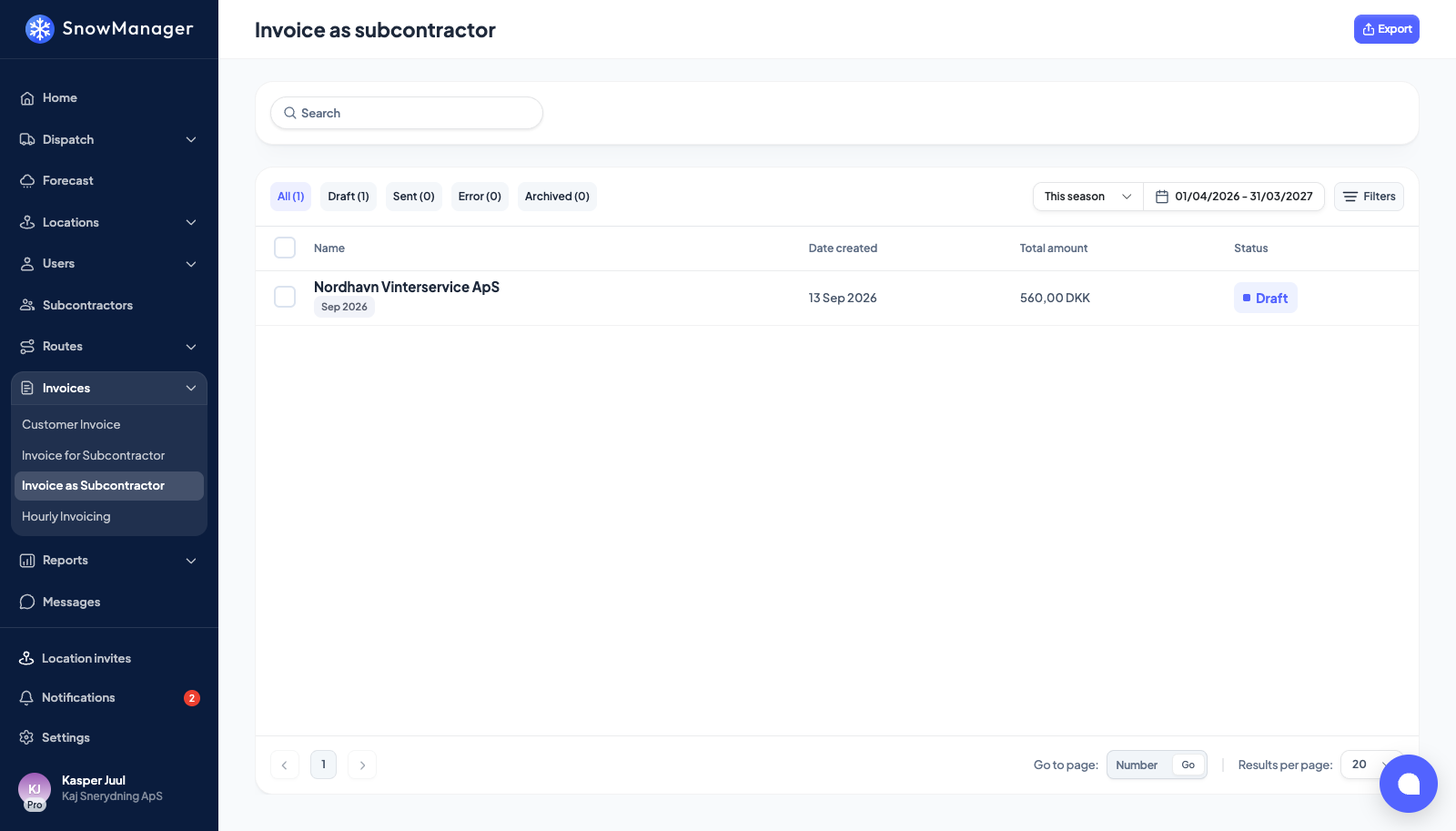
It is read-only. Open an invoice to read its lines, and press the eye on a line to see the dispatch stop behind it, with its times and photos. The status is whatever the owner set. You cannot change a line here; if a quantity is wrong, the owner corrects it. A line with a negative amount is money deducted from what you are paid. One of those carries a Complaint badge and reads Charge-back for complaint:, the charge the owner put on you for rework on a complaint: hover the badge for A deduction for rework on a complaint your business was held responsible for. The complaint is under Complaints. The bell told you when the line was written or its amount changed, and the complaint itself is on your own Locations → Complaints page, among the ones you were held responsible for. The badge is only shown to the two businesses that can open the complaint, the one that owns it and the one held responsible, so a third business further up or down the chain sees the deduction without being told which complaint it is for.
Export produces a file of the settlement lines raised toward you, for a period or for the invoices you tick, in Excel or CSV, for your own bookkeeping. It shows your side only: the owner's customer details are not in it. As on the other invoice pages, the file downloads when it is ready and you are e-mailed a link to it.
Work you declined, and addresses you own yourself, never appear on either page.