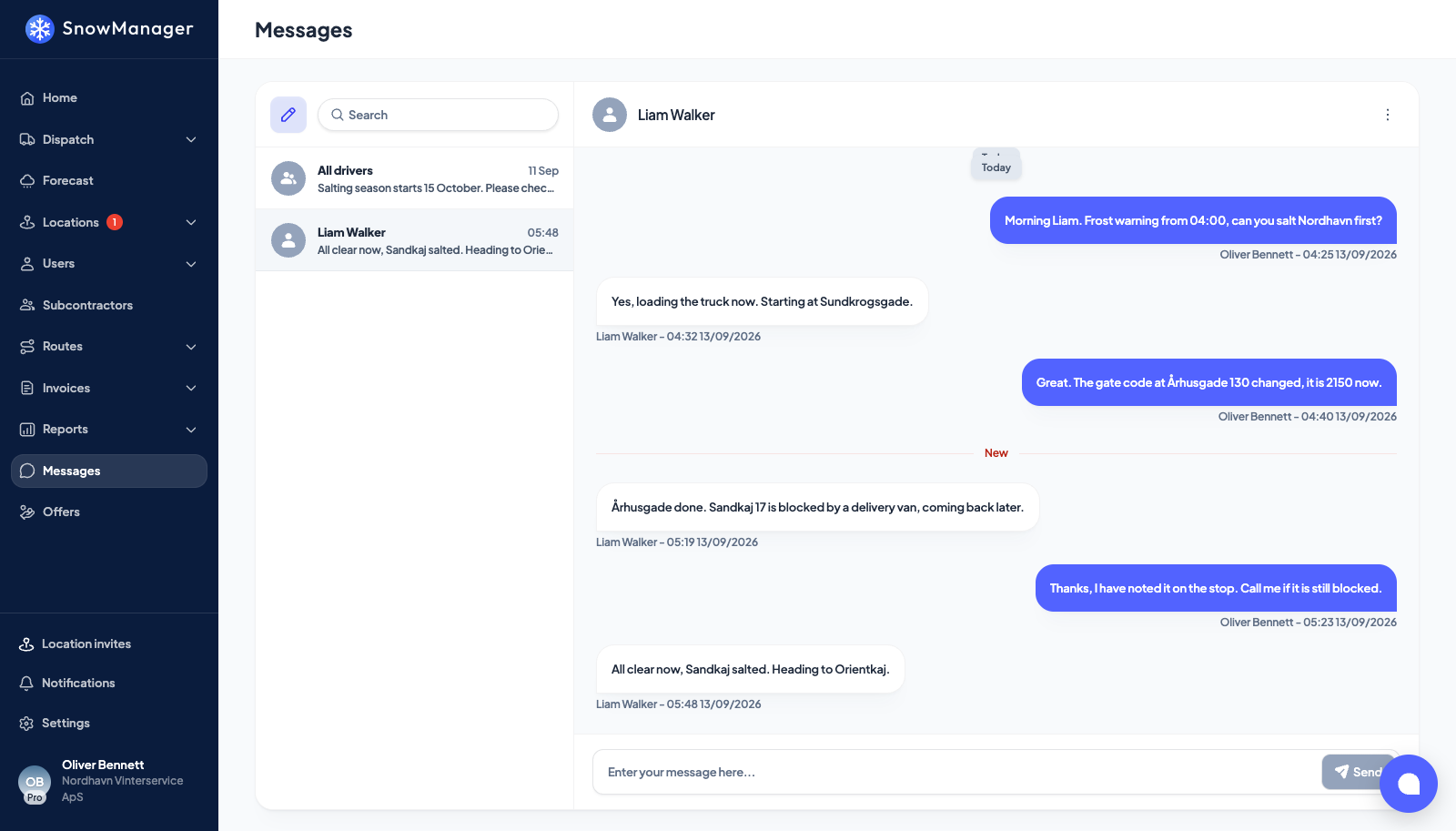
Messages is the chat between the people in your business. A driver in the app and a dispatcher at the desk see the same conversation, live. There are three kinds of thread: a direct chat with one person, a group, and an announcement that only its creator can write in.
Start a chat
-
Open Messages and press New message (the button beside the search box).
-
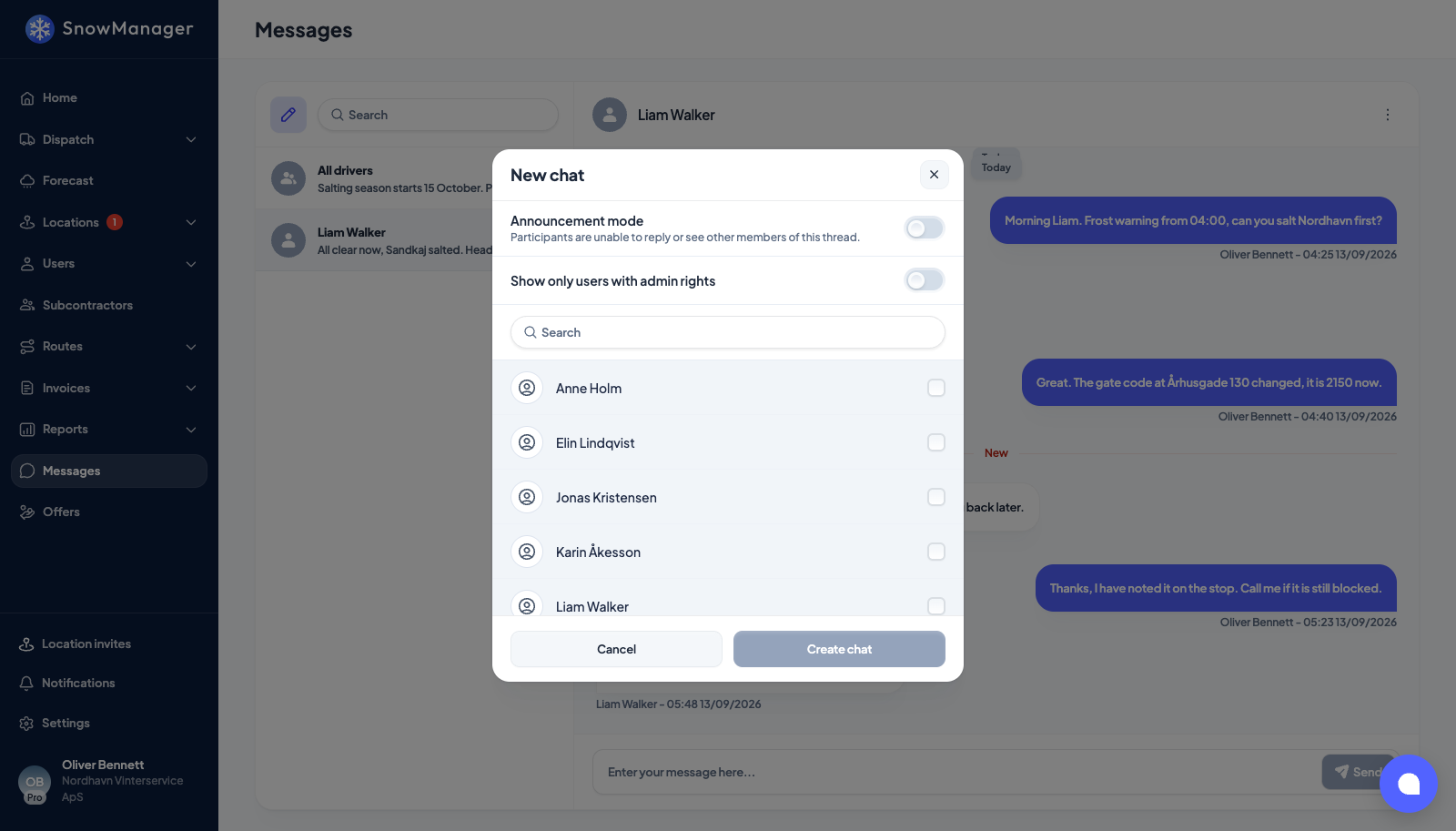
In New chat, tick the people. Show only users with admin rights shortens the list to administrators; the search box finds anyone by name.
-
With one person ticked you get a direct chat. If the two of you already have one, it opens that one instead of starting a second. With two or more ticked you get a group; give it a Group name (optional), or it is named after its members.
-
Press Create chat. The thread opens on the right, and every participant sees it in their list with an unread badge.
Type in the box at the bottom and press Enter to send. A message is at most 500 characters. The list on the left shows each thread's last message, its time and how many you have not read; search there finds a thread by name.
Send an announcement
Turn on Announcement mode in New chat before you press Create chat. The switch says what it does: "Participants are unable to reply or see other members of this thread."
- Only you, the creator, can post in it. A participant who tries is told "Only the announcement creator can post messages to this chat."
- The thread is pinned at the top of every participant's list from the start, and is shown as Announcement unless you named it.
- Drivers with the app get a push notification titled "New announcement".
- Announcement mode is chosen when the thread is created and cannot be switched on later. An announcement to one person is a separate thread from your direct chat with them.
Use it for the night's plan or a road closure: one message, everybody, no thread of replies.
Change who is in a group
Open the thread, press the three dots at the top right and choose Edit chat. You can add people; those already in stay ticked and greyed. Only the creator of a group, or an administrator of it, can manage it. Renaming works for groups, not for direct chats.
Who can use it
Anybody in the business with the Messages permission sees the page. Drivers without a web workspace use the app; they are in the list when you pick participants.