Plenty of drivers have no email address, or none they ever read. They can still have a SnowManager account: you add them with their mobile number, the invitation goes to their phone as a text message, and from then on they sign in to the SnowManager app with that number and a password of their own.
Everything else about the account is the same as for anyone you invite with an email: one role, a language, the same routes and dispatches.
Add the driver
-
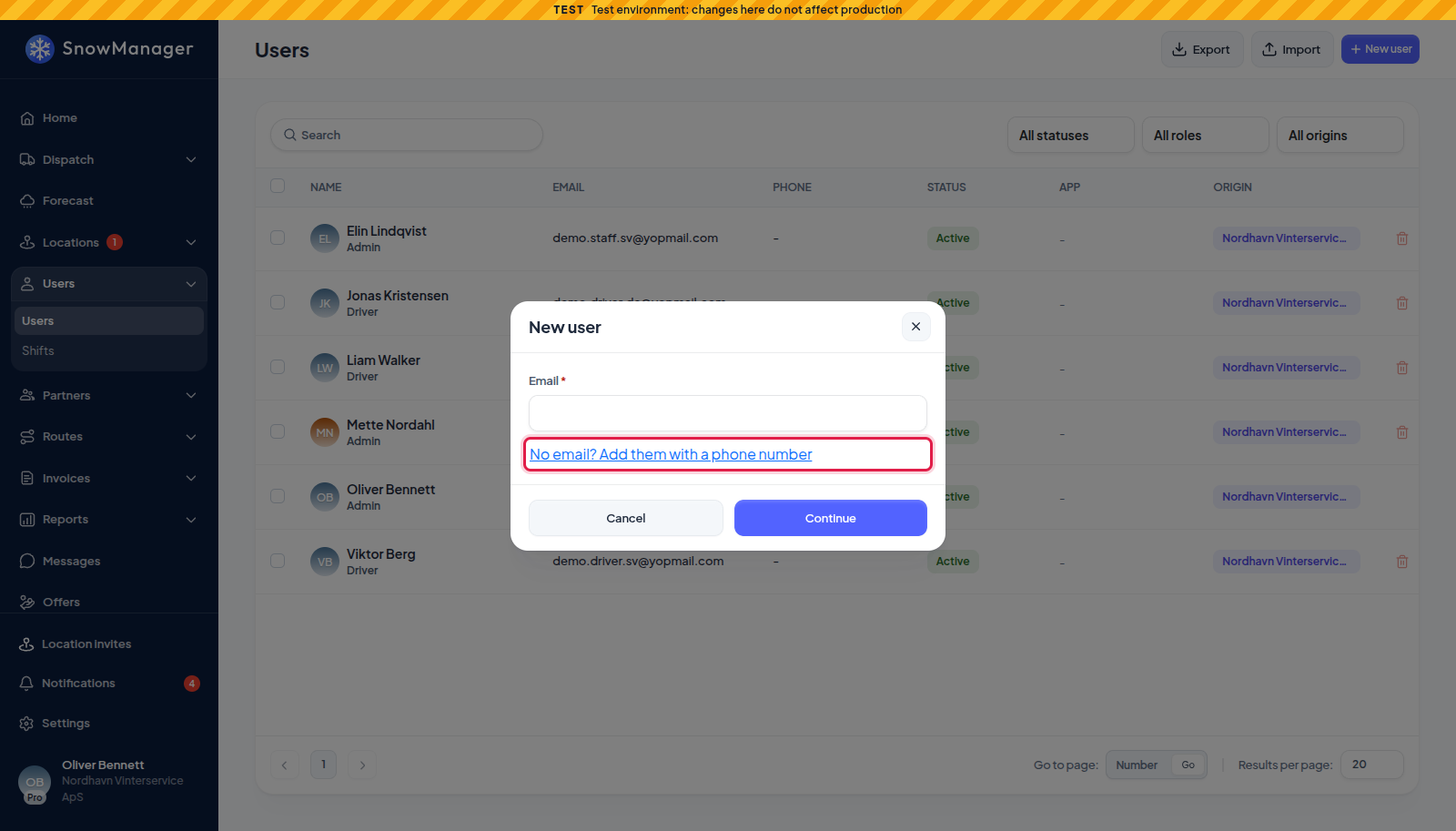
Open Users in the left menu and press New user.
-
Under the email field, press No email? Add them with a phone number.
-
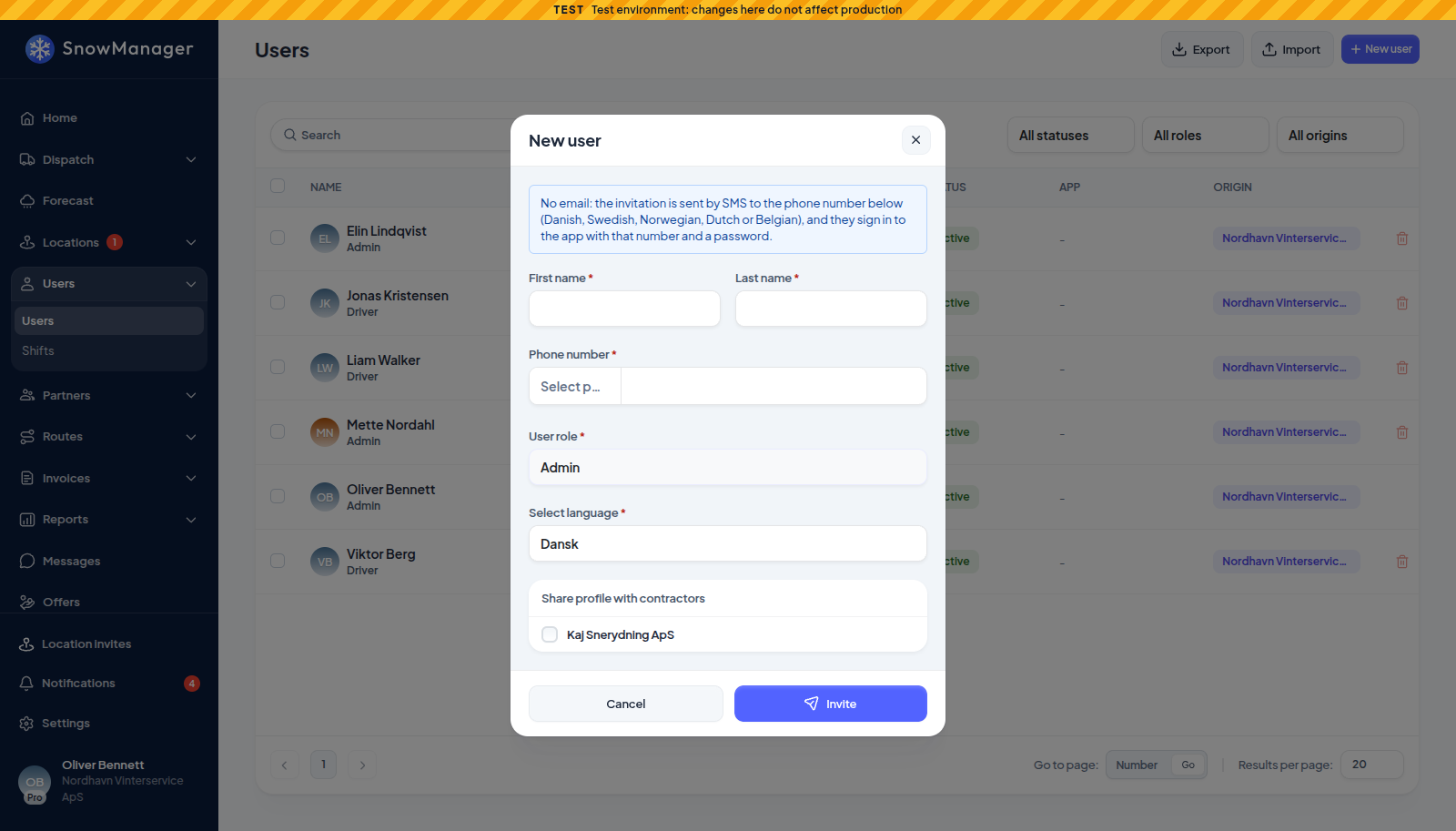
The form skips the email step and says so at the top: No email: the invitation is sent by SMS to the phone number below (Danish, Swedish, Norwegian, Dutch or Belgian), and they sign in to the app with that number and a password.
-
Enter First name, Last name and the Phone number with its country code. The number is required here, because it is both where the invitation goes and what the driver signs in with.
-
Choose the User role (usually Driver) and Select language, and press Invite.
The driver is listed with No email where the address would be, and with status Invitation Sent until they have chosen a password.
What the driver does
- A text arrives from SnowManager: your company has invited them, with a short link
(
https://app.snowmanager.com/s/...). The link is good for 72 hours. - The link opens the registration page. Their phone number is shown and cannot be changed, and there is no email field. The page says You sign in to the SnowManager app with your phone number and the password you choose here. They choose a password (at least 12 characters) and finish.
- They install the SnowManager app and sign in with their phone number and that password.
Signing in on the app
In the latest version of the app the sign-in field is Email or phone number. When the driver
types a number without + or 00 in front, a small country button (a flag and the code, such as
+45) appears before it. Tapping it offers Denmark (+45), Sweden (+46), Norway (+47), the
Netherlands (+31) and Belgium (+32). It starts on the phone's own country and remembers the last
choice. Typing the number with its country code, as +4512345678 or 004512345678, works too.
See Sign in on your phone.
Signing in on the web is unchanged: the browser sign-in form is for email addresses, and a driver works in the app anyway.
Forgotten password
In the app, Forgot password? takes the phone number as well. The reset link then comes by text instead of email, is good for 72 hours, and opens the same page to choose a new password. The app answers the same way whether or not the number has an account, so if nothing arrives, the driver should check the number with the office.
From the web, Reset password on the user sends the same text. Reinvite sends a new invitation text, for a driver who lost the first one or let it expire.
The rules
- Five countries. A user without email needs a number from Denmark (+45), Sweden (+46), Norway (+47), the Netherlands (+31) or Belgium (+32), the countries the texts can go to. Any other number is refused with A user without email needs a phone number from Denmark (+45), Sweden (+46), Norway (+47), the Netherlands (+31) or Belgium (+32), because the invitation is sent by SMS. The same holds when the number is changed later, by you or by the driver in the app.
- One number, one user without email. The number is the driver's sign-in, so two users without email cannot share it: Another user without email already has this phone number. They sign in with it, so each needs their own. Users who have an email can still share a number with anyone, as before.
- The texts are free. Invitations and password resets by text cost your company nothing.
- One text a minute, five a day. Each user can receive at most one invitation or reset text a minute and five a day. Sending an invitation again too soon says A text message went to this number a moment ago. Try again in ... seconds., and after the fifth that day This number has had as many text messages as it can today. Try again tomorrow. A password reset that hits the limit simply sends nothing, so wait a minute (or until tomorrow) and ask again.
- An email can come later. As long as the driver has not chosen a password yet, you can open them from the list and type an email address in the Email field, which shows No email. The invitation then goes to that address, and they become an ordinary user who signs in with their email.
Subcontractors add their own drivers the same way, from their own Users page.
Many drivers at once
A file import does the same for a whole crew: a row with a phone country code and a phone number but no email becomes a user without email. See Import and export users for the file and the checks it goes through.