Two types of revenue sources never come from a dispatch: the fixed price of a per-season address, and the Material and Fee extras on a price. Both are drafted by hand from Customer Invoice → Manual invoices.
Seasonal invoicing
Manual invoices → Season opens Seasonal invoicing.
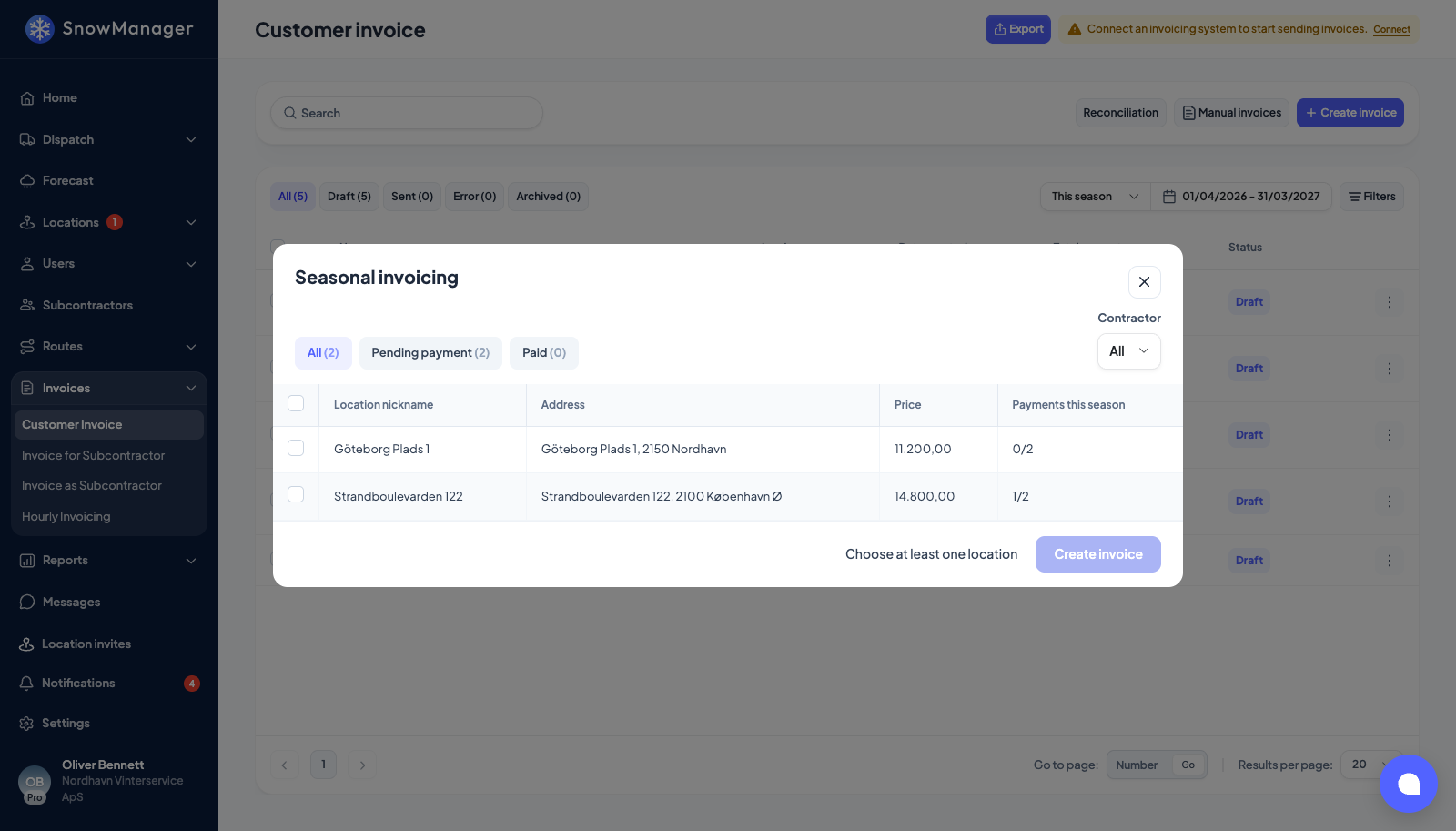
It lists every live address with a per-season price: Location nickname, Address, Price (the season price, all work types summed) and Payments this season, shown as instalments created out of instalments agreed, for example 1/2. An address whose contract has ended, or not started, is not offered; an ended address can still be billed by hand on the invoice. The pills split the list into All, Pending payment and Paid; Contractor narrows to one subcontractor's addresses.
- Tick the addresses to bill. The header box ticks every unpaid one in view; a Paid address cannot be ticked.
- Press Create invoice. You see {0} seasonal invoice drafts created.
Each address gets its own draft for its next instalment: one line, Seasonal fee 1/2, at the season price divided by the number of payments. Run it again later for 2/2. The count is per season, the business's season window, so a new season starts at 1 again.
An address whose invoice is split between several customers gets one draft per customer, each for its equal share of the instalment; see Split an address's invoice between several customers.
Seasonal lines carry no work type of their own; when sent to accounting they map through the Seasonal invoice row of the work-type mappings.
Fee invoices
Manual invoices → Fee invoices opens Fee invoices.
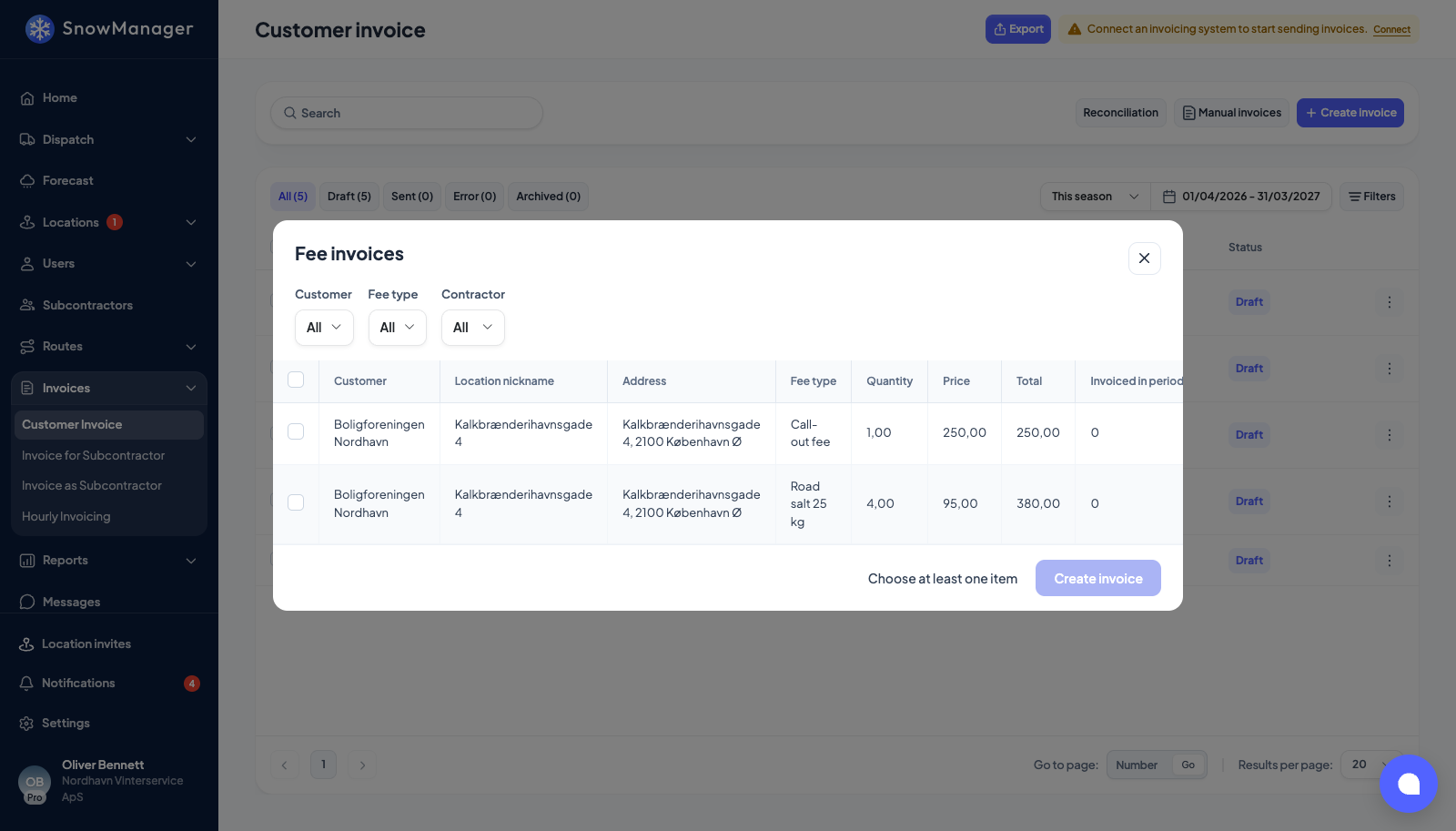
One row per address per fee: Customer, Location nickname, Address, Fee type, Quantity, Price, Total and Invoiced in period, which counts how often that fee has already reached an invoice this season, so you can see what was billed before ticking it again. Filter by Customer, Fee type or Contractor.
- Tick the fees to bill.
- Press Create invoice. You see {0} fee invoice drafts created.
One draft is created per address; the ticked fees of that address become its lines, and a fee is stamped with the price it was billed from, so renaming the fee later keeps its history. An address that went inactive between opening the screen and pressing the button is dropped rather than billed.
Afterwards
Both types land in the Draft tab of Customer Invoice, to be read, edited and sent like any other: review and send a customer invoice.