A contract ends, a building site closes for the summer, a customer pauses. You do not delete the address, you make it inactive, and you can say in advance when. The address keeps its history, prices, drawings and rules, and comes back the day you choose. Once an address has been on a dispatch it cannot be deleted at all, only made inactive; the last section explains.
Make it inactive
-
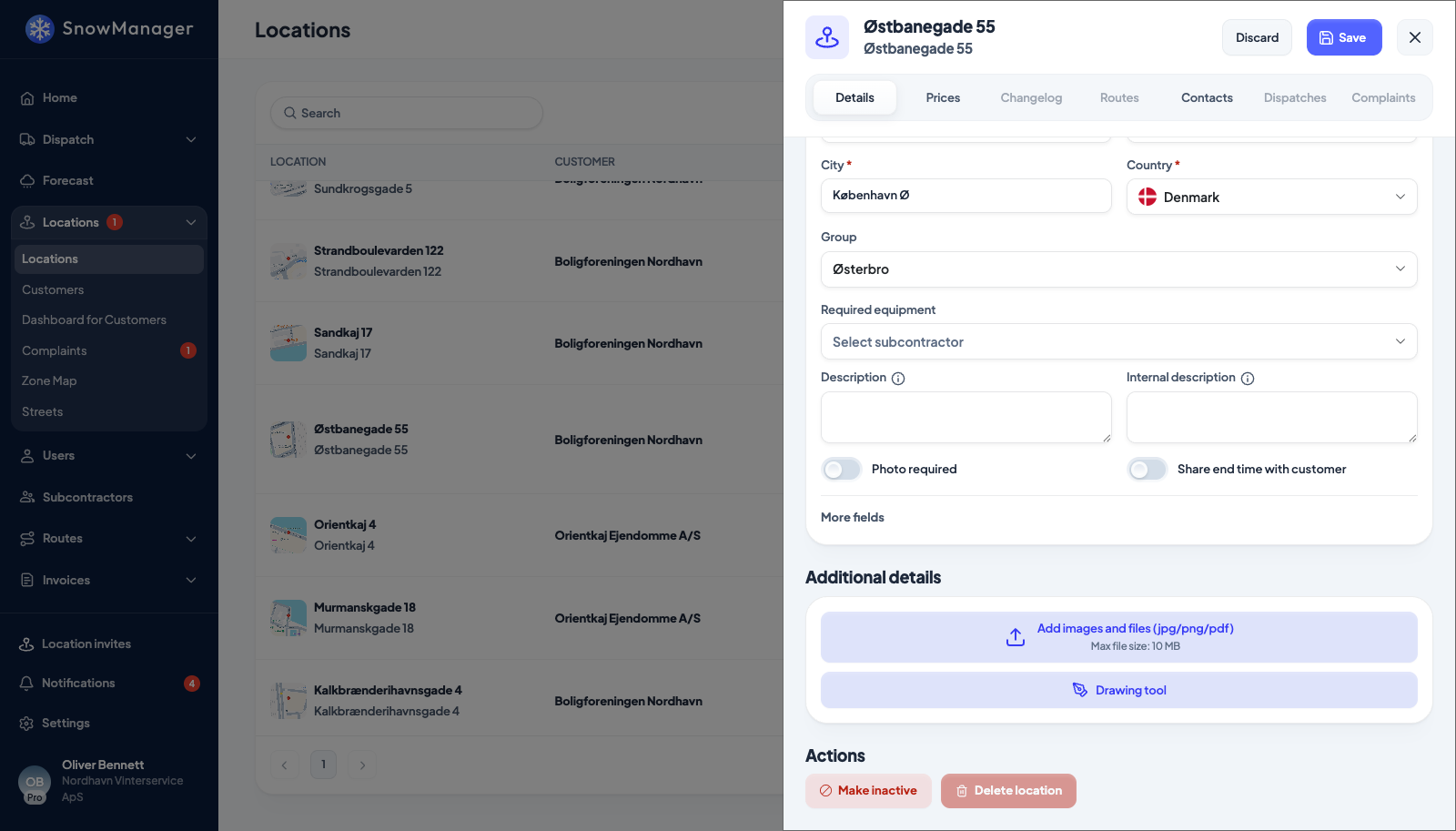
Open the address from Locations and press Edit. Scroll to Actions at the bottom of the details. You must own the address; a subcontractor cannot do this.
-
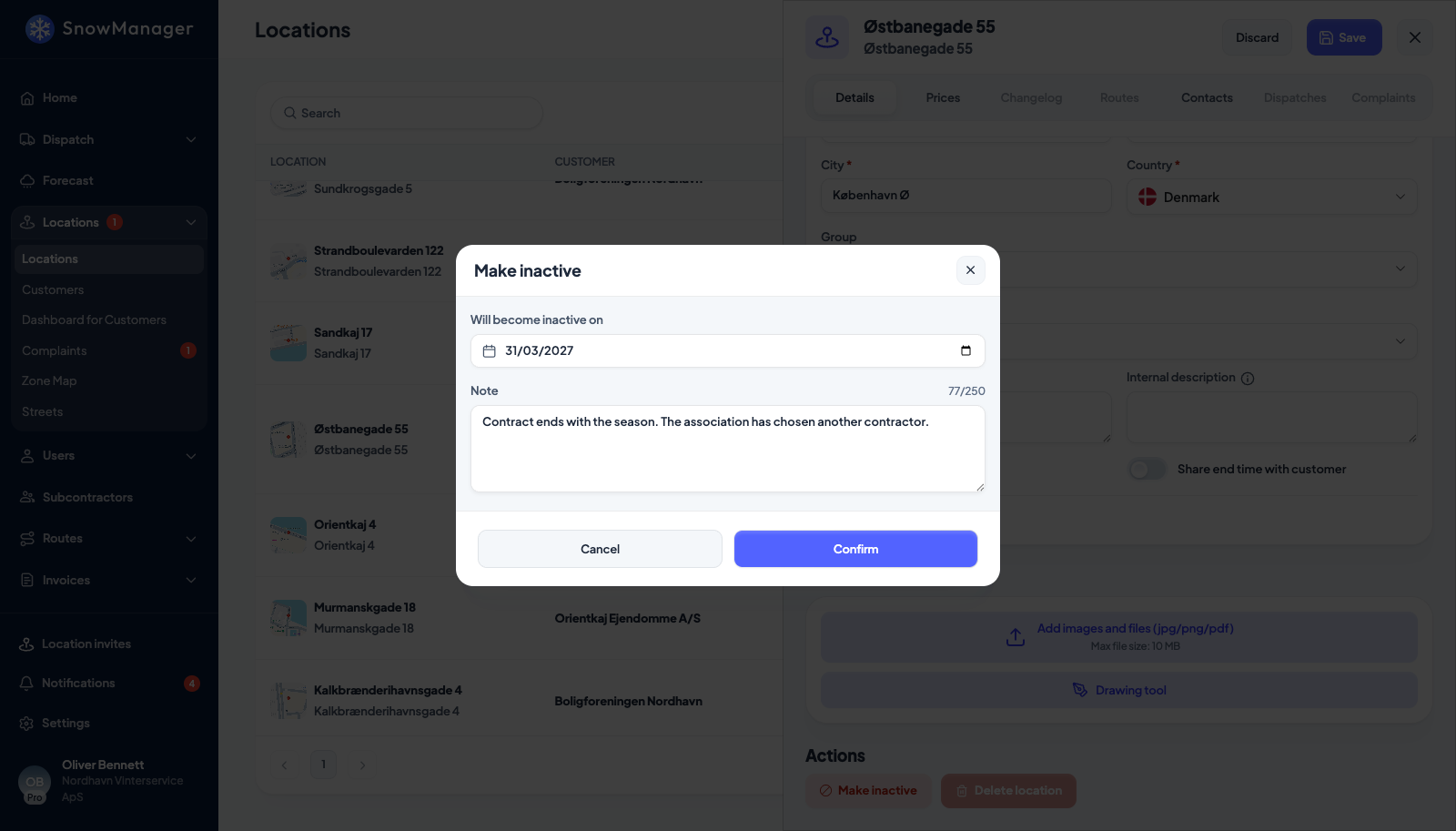
Press Make inactive. The popup asks Will become inactive on with today's date filled in, and a Note (up to 250 characters) for whoever wonders later.
-
Press Confirm. That applies at once, without pressing Save: today means now, a later date schedules it. The message This location will become inactive on: 1 April 2027 appears at the top of the address until then.
Bring it back
- On an inactive address (or one scheduled to become inactive), press Edit, then Make active under Actions.
- Will become active on takes a date, today by default. Confirm: today reactivates immediately, a later date schedules the return and the address shows This location will become active on: 1 October 2027 meanwhile.
Reactivating clears the note and the inactive date. A date in the past is treated as today either way.
How the list shows it
The address name in Locations carries a chip: Inactive, Inactive from 1 April 2027 or Active from 1 October 2027; hovering it shows the note. The list opens on the active addresses: Status in the Filters popover is Active, Inactive or All, so an inactive address is out of sight until you ask for it. The export popup carries the same three choices.
What inactive means
Nothing runs on a timer. Every screen reads the two dates against the clock, so the switch happens at midnight on the date you set, in UTC.
- Route and zone dispatches skip the address when it is inactive on the dispatch's planned date, not today. An address inactive until September still joins a route or zone dispatch planned for October, and one going inactive next week is left out of next week's dispatch even if you create it now. In the zone dispatch popup the address list follows the planned date as you change it; until you pick one it shows what is active today. The zone map itself always shows today: an inactive address has no pin and is not counted on its zone's card.
- Address dispatches (addresses you pick one by one) offer only the addresses active right now.
- Seasonal and fee invoicing no longer offer the address once it is inactive. Manual registration still does, so an ended address can be billed by hand.
- Drivers on the mobile app see only active addresses.
Each change is written to the address's Changelog as disabled or enabled, with the date.
Delete an address
Delete location sits next to Make inactive under Actions, and it is for addresses that were created by mistake: a duplicate, a typo, an import row that should never have been one. It removes the address from the list, from its routes, zones and groups, and takes its prices, rules, contacts and files with it.
An address that has ever been on a dispatch cannot be deleted. The button is greyed out and hovering it says This address has been dispatched and cannot be deleted. Deactivate it instead.; the same message comes back if the deletion is attempted any other way. Every dispatch counts, whatever became of it: one that was cancelled or archived, one that was planned but never driven, and a manual registration of work done by hand all keep the address. The stops, the invoice lines and the driver's trail all point at the address, and the history would be meaningless without it.
For those addresses, Make inactive is the way: the address drops out of dispatching and billing from the date you set and its history stays whole. An address that has never been dispatched can still be deleted as before.